pythreejs orrery
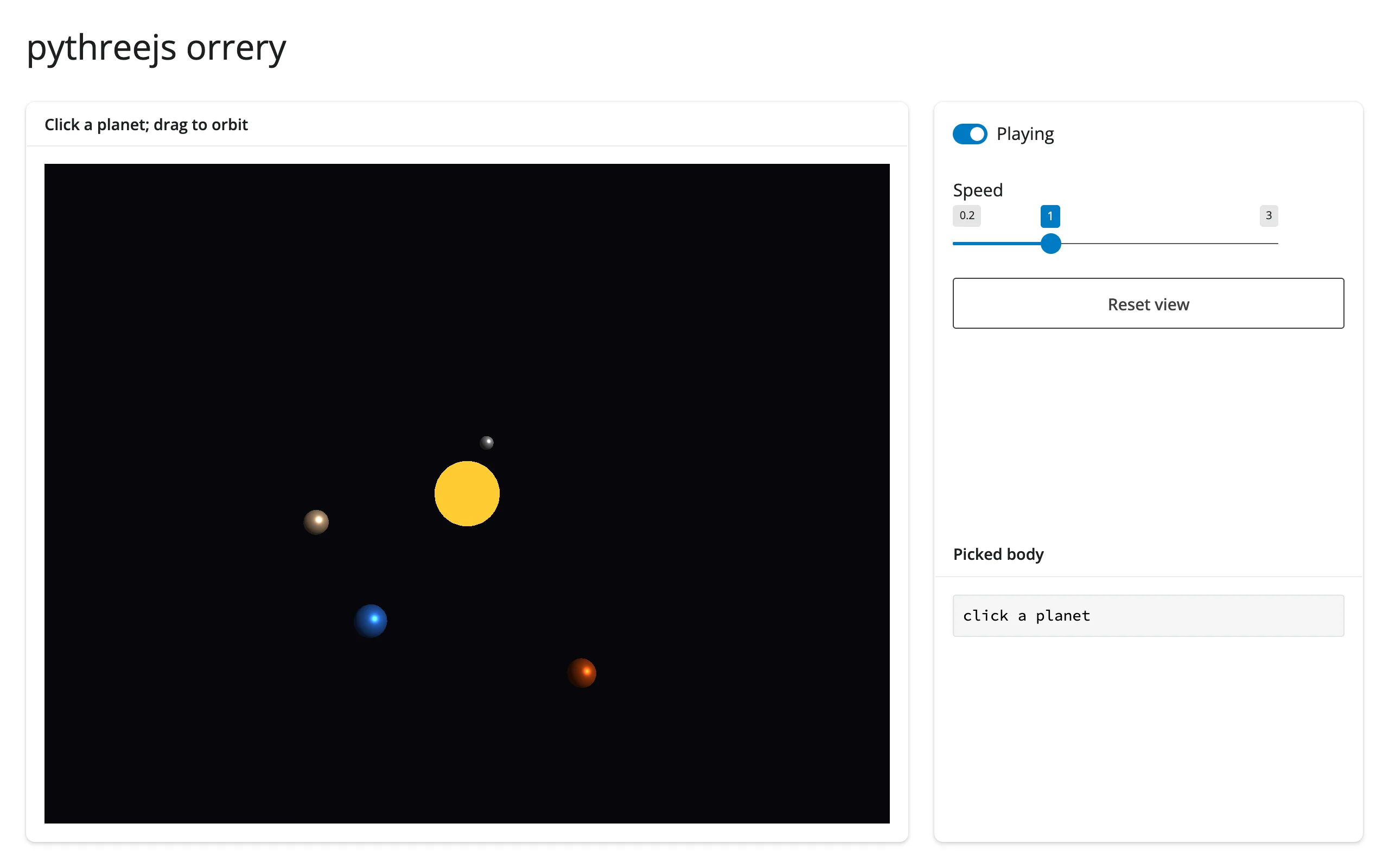
Four planets (Mercury, Venus, Earth, Mars) orbit a sun in a pythreejs scene, animated by a 30 fps reactive.invalidate_later clock that only mutates each mesh’s .position – no re-render, ever, so your orbit/pan/zoom in the 3D view is never disturbed by playback. A single Picker is shared across the whole scene graph (constructing it needs a real controlling object, so it’s built once against the Scene itself); clicking any body resolves picker.object back to a name by identity comparison against the mesh dict.
Run it
git clone --depth 1 https://github.com/posit-dev/py-shinywidgets
cd py-shinywidgets/website/gallery/showcases/orrery
uv run shiny run app.py
Source: app.py · Open in Shinylive
Try this
- Drag to orbit, scroll to zoom; the planets keep moving underneath you.
- Click a planet (or the sun): the sidebar identifies what you clicked, with its orbit radius and period.
- Drag Speed, or toggle Playing.
- Click Reset view: restores the camera to its home position/orientation/zoom without resetting the simulation clock.
Accessors demonstrated
reactive_read(picker, "distance")/picker.object– pythreejs’s ownPickercontrol, read viareactive_read()sincerender_pythreejshas no dedicated click accessor;distanceisNoneuntil the first click, and.object(not itself a trait) resolves to whichever mesh the picker most recently hit.
Verification
No extra packages needed (pure pythreejs, no data download). A real Playwright click at the canvas center (where the sun always renders, since it sits at the scene origin) changed Picked body from "click a planet" to "clicked the sun" – confirming the shared Picker resolves clicks to the correct object across re-renders of the moving scene. See img/hero.webp and img/after_click.webp.
Source: promoted from docs/widget-guides/pythreejs/gallery/showcase_orrery.py (see NOTES.md).